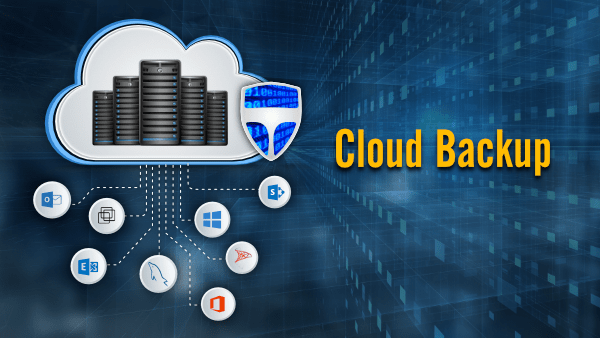
Cloud Backup: Secure Your Business Data with Compass IT Solutions
In today’s digital-first world, data has become one of the most valuable assets for businesses of all sizes. From customer information and financial records to operational files and communication data, organizations rely heavily on digital storage. However, cyber threats, accidental deletion, hardware failure, and natural disasters can lead to unexpected data loss. This is where cloud backup plays a critical role.
Businesses are increasingly adopting cloud backup solutions to ensure data protection, business continuity, and operational resilience. Compass IT Solutions, a trusted IT service provider, offers reliable and secure cloud backup services designed to safeguard business data while enabling seamless recovery whenever needed.
What is Cloud Backup?
Cloud backup is the process of copying and storing data on remote cloud servers instead of relying solely on physical storage devices. These backups are automatically updated and securely stored offsite, allowing businesses to recover information quickly in case of system failure or cyber incidents.
Unlike traditional backup methods such as external hard drives or local servers, cloud backup provides:
Remote accessibility
Automated backup scheduling
Enhanced security measures
Scalable storage capacity
Faster disaster recovery
With cloud backup, businesses can protect critical information without worrying about physical damage or storage limitations.
Why Cloud Backup is Essential for Modern Businesses
Digital transformation has increased data dependency across industries. Losing data even for a short period can cause financial losses, operational downtime, and reputational damage.
1. Protection Against Cyber Threats
Cyberattacks such as ransomware and malware are becoming more sophisticated. Cloud backup ensures businesses can restore clean data copies without paying ransom demands.
2. Disaster Recovery
Natural disasters, fires, or hardware failures can destroy local systems. Offsite backups guarantee data availability regardless of physical damage.
3. Human Error Prevention
Accidental deletion is one of the most common causes of data loss. Cloud backup allows quick restoration of lost files.
4. Business Continuity
Organizations can resume operations quickly after disruptions, minimizing downtime and productivity loss.
How Cloud Backup Works
Cloud backup systems automatically copy files, applications, and databases from local devices or servers to secure cloud infrastructure.
The process typically includes:
Data Selection – Choosing files and systems to back up.
Encryption – Securing data before transmission.
Transfer to Cloud Servers – Uploading data securely via internet connection.
Storage Management – Organizing backups for easy recovery.
Recovery Access – Restoring files instantly when needed.
Compass IT Solutions ensures that this process runs smoothly with minimal manual intervention.
Key Features of Cloud Backup SolutionsAutomated Backups
Scheduled backups eliminate the need for manual monitoring and ensure data is always updated.
Data Encryption
Advanced encryption protects sensitive information during transfer and storage.
Version Control
Multiple file versions allow recovery of earlier data states if needed.
Scalability
Businesses can increase storage capacity as their data grows without investing in hardware.
Remote Accessibility
Authorized users can access backups from anywhere, enabling flexible work environments.
Why Choose Compass IT Solutions for Cloud Backup?
When selecting a cloud backup provider, reliability and expertise are essential. Compass IT Solutions delivers enterprise-grade solutions tailored to business requirements.
Customized Backup Strategies
Every organization has unique data needs. Compass IT Solutions designs backup plans aligned with operational workflows and compliance standards.
Advanced Security Measures
Data protection is prioritized through encryption, secure data centers, and continuous monitoring.
Fast Data Recovery
Quick restoration processes minimize downtime and ensure business continuity during emergencies.
Expert IT Support
Dedicated professionals provide ongoing monitoring, maintenance, and technical support.
Cost-Effective Solutions
Cloud backup eliminates the need for expensive hardware investments and maintenance costs.
Benefits of Cloud Backup for BusinessesImproved Data Security
Cloud environments use advanced security protocols to protect sensitive information.
Reduced IT Costs
Businesses save money by avoiding physical storage infrastructure and maintenance expenses.
Operational Efficiency
Automated systems reduce manual work and improve productivity.
Compliance Support
Cloud backup helps organizations meet industry regulations and data protection standards.
Scalability and Flexibility
Storage grows alongside business expansion without disruption.
Cloud Backup vs Traditional Backup
Feature
Traditional Backup
Cloud Backup
Storage Location
Local devices
Remote cloud servers
Accessibility
Limited
Anywhere access
Disaster Protection
Low
High
Scalability
Limited
Unlimited
Automation
Manual
Automated
Cloud backup clearly offers a more reliable and future-ready solution compared to traditional methods.
Industries That Benefit from Cloud Backup
Cloud backup solutions support various industries:
Healthcare
Protects patient records and ensures compliance with data regulations.
Finance
Secures financial transactions and sensitive client information.
Education
Safeguards academic records and online learning systems.
Retail & E-commerce
Prevents loss of customer and transaction data.
Professional Services
Maintains secure document management and collaboration.
Compass IT Solutions provides tailored services suitable for diverse business environments.
Common Cloud Backup Challenges and Solutions
While cloud backup offers many advantages, businesses may face challenges such as:
Slow initial data upload
Security concerns
Integration complexity
Data management issues
Compass IT Solutions addresses these challenges through optimized backup configurations, strong encryption, and expert implementation strategies.
Best Practices for Effective Cloud Backup
To maximize protection, businesses should follow these practices:
Schedule automatic backups regularly
Use strong encryption standards
Test data recovery periodically
Maintain multiple backup versions
Monitor backup performance continuously
Working with experienced providers ensures these best practices are properly implemented.
The Future of Cloud Backup
Cloud technology continues evolving with innovations such as:
AI-powered threat detection
Automated disaster recovery systems
Hybrid cloud solutions
Faster data synchronization
Enhanced cybersecurity integration
As businesses move toward remote work and digital ecosystems, cloud backup will remain a cornerstone of IT infrastructure.
Conclusion
Data loss can severely impact business operations, finances, and customer trust. Investing in a reliable cloud backup solution is no longer optional—it is essential for modern organizations.
Compass IT Solutions provides secure, scalable, and efficient cloud backup services that protect business-critical data while ensuring rapid recovery during unexpected events. With advanced technology, expert support, and customized solutions, businesses can operate confidently knowing their data is safe.
Choosing Compass IT Solutions means investing in long-term data security, operational continuity, and digital resilience. Whether you are a small business or a growing enterprise, cloud backup is the smartest step toward a secure digital future.